> ## Documentation Index
> Fetch the complete documentation index at: https://lightdash-refactor-full-audit-reorg.mintlify.site/llms.txt
> Use this file to discover all available pages before exploring further.
# Test changes with Lightdash compile
> If you've connected Lightdash to GitHub, you can setup a `github action` and get Lightdash to compile your project and test your changes whenever you open a pull request.
Adding this Lightdash compile action will compile your dbt project's .yml files and check to see if there are any errors that will break your Lightdash project. For example, a metric that references a dimension that doesn't exist.
## Choose partial or strict compilation
Lightdash uses **partial compilation** by default. Field, join, and set-validation failures that can be isolated are reported as warnings so the rest of the explore stays usable; failures that cannot be isolated can still produce errors.
Add `--no-partial-compilation` to report the failures that partial compilation would otherwise isolate as errors instead. It doesn't promote unrelated, non-blocking warnings — other generic compilation warnings stay non-blocking.
If your project uses physical column references such as `${TABLE}.order_id`, add `--validate-warehouse-columns` to check supported unquoted references with warehouse queries that return no rows. It's opt-in because it sends those queries; whether your warehouse scans or bills for them is warehouse-dependent, and the check needs warehouse credentials and the warehouse catalog. Warehouse-column errors are reported whether partial compilation is on or off.
See the [CLI compilation options](/workflow/cli/reference#partial-compilation) for the supported reference syntax and every skip condition.
For a CI check that reports the isolated failures as errors, use strict compilation:
```bash theme={null}
lightdash compile --no-partial-compilation
```
Combine it with warehouse-column validation when your project uses physical references:
```bash theme={null}
lightdash compile --no-partial-compilation --validate-warehouse-columns
```
## Add credentials to GitHub secrets
The compile action authenticates with Lightdash and your warehouse using GitHub secrets. Set them up once by following [Add credentials to GitHub secrets](/workflow/set-up-ci-cd#add-credentials-to-github-secrets) — the same secrets work for every Lightdash CI workflow.
## Create the compile workflow
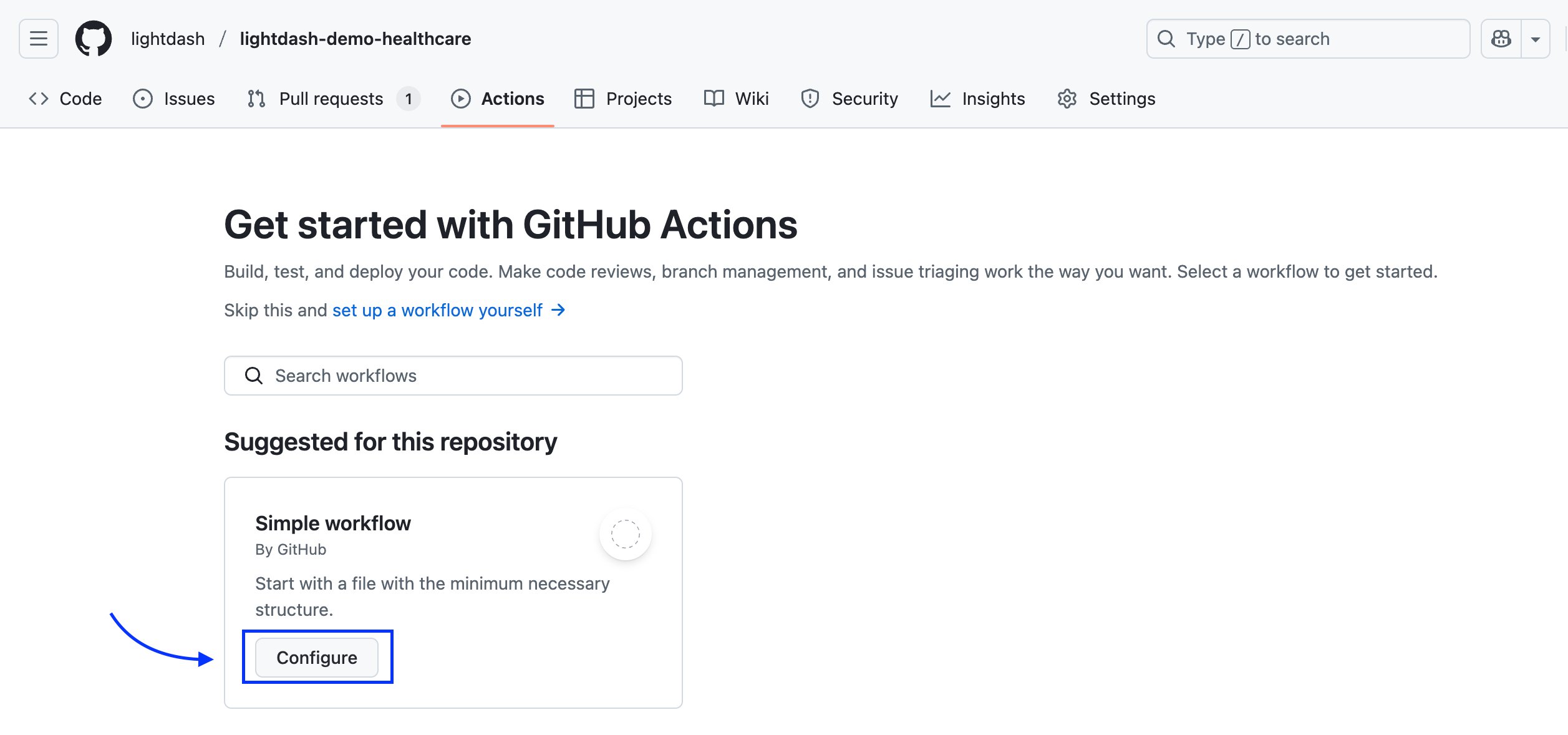
Go to your repo, click on `Actions` menu.
If you don't have any GitHub actions, you'll just need to click on `Configure`
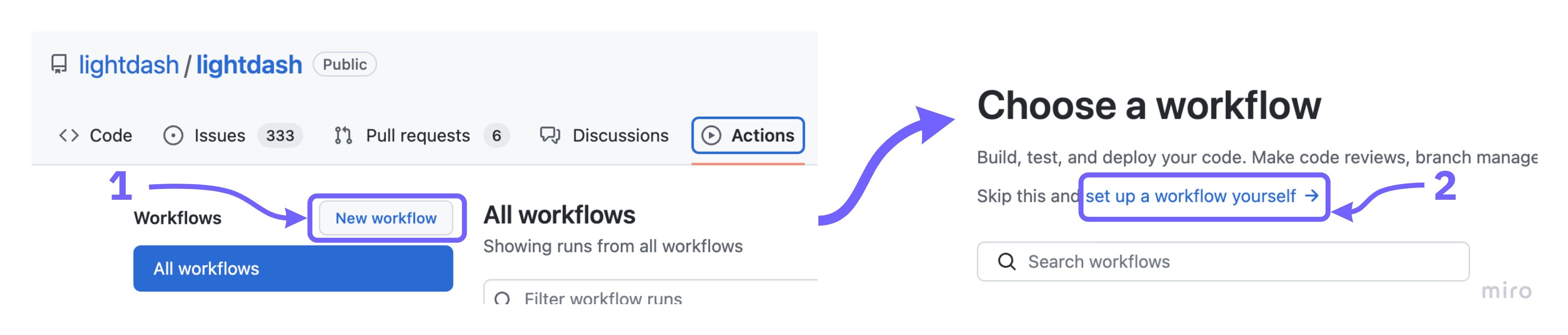
 If you have some GitHub actions in your repo already, click on `New workflow`, then select `setup a workflow yourself`.
 Now copy [this compile.yml file](https://github.com/lightdash/cli-actions/blob/main/compile.yml) from our [cli-actions](https://github.com/lightdash/cli-actions) repo.
If you only use a subset of your dbt models in Lightdash, then you'll want to specify that subset in your file [here](https://github.com/lightdash/cli-actions/blob/d91de777ed3668b537acd141b734eca75def4e52/compile.yml#L65).
For example, to only compile models with the tag `lightdash`, you would change this line to: `run: lightdash compile --select tag:lightdash --project-dir "$PROJECT_DIR" --profiles-dir . --profile prod || lightdash compile --select tag:lightdash --project-dir "$PROJECT_DIR" --profiles-dir .`
Give it a nice name like `compile-lightdash.yml`
And commit this to your repo by clicking on `Start commit`.
## You're done!
Everytime you open a new pull request on the repository that contains your Lightdash project, `lightdash compile` will run and check to see if any of the changes you made will break your Lightdash instance.
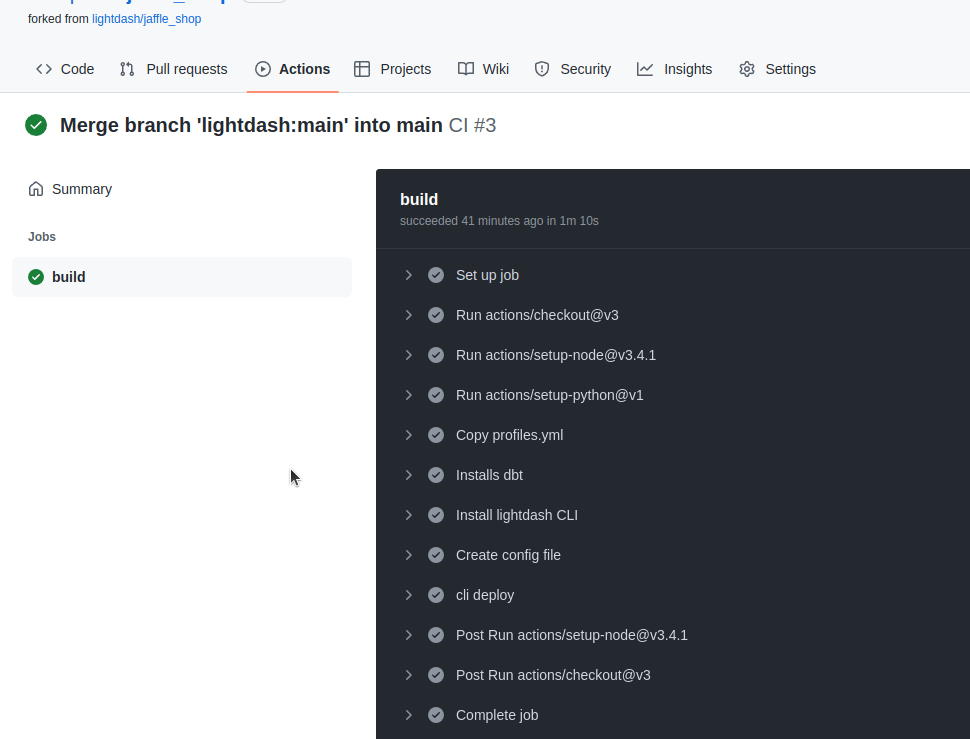
You can see the log on the `Github actions` page
Now copy [this compile.yml file](https://github.com/lightdash/cli-actions/blob/main/compile.yml) from our [cli-actions](https://github.com/lightdash/cli-actions) repo.
If you only use a subset of your dbt models in Lightdash, then you'll want to specify that subset in your file [here](https://github.com/lightdash/cli-actions/blob/d91de777ed3668b537acd141b734eca75def4e52/compile.yml#L65).
For example, to only compile models with the tag `lightdash`, you would change this line to: `run: lightdash compile --select tag:lightdash --project-dir "$PROJECT_DIR" --profiles-dir . --profile prod || lightdash compile --select tag:lightdash --project-dir "$PROJECT_DIR" --profiles-dir .`
Give it a nice name like `compile-lightdash.yml`
And commit this to your repo by clicking on `Start commit`.
## You're done!
Everytime you open a new pull request on the repository that contains your Lightdash project, `lightdash compile` will run and check to see if any of the changes you made will break your Lightdash instance.
You can see the log on the `Github actions` page